 MakerCAD
Design it. Cut it. Make it.
Design software that runs in your browser. Draw it, check it and send it to a laser or vinyl cutter, at school or at home.
Today, make a
No sign-up · Nothing to install · Works on Chromebooks, Windows and Mac
- Name keyrings
- Clocks
- Finger-joint boxes
- Vinyl stickers
- Gears and cams
- Coasters
- Signs
- Iron-on T-shirt designs
- Living-hinge cases
- Phone stands
Everything you need to go from idea to cut
Proper CAD tools, set up for making, with help built in.
Accurate drawing
Type exact sizes, snap to ends and centres, add dimensions, use layers, and join, cut and offset shapes.
Ready for the laser
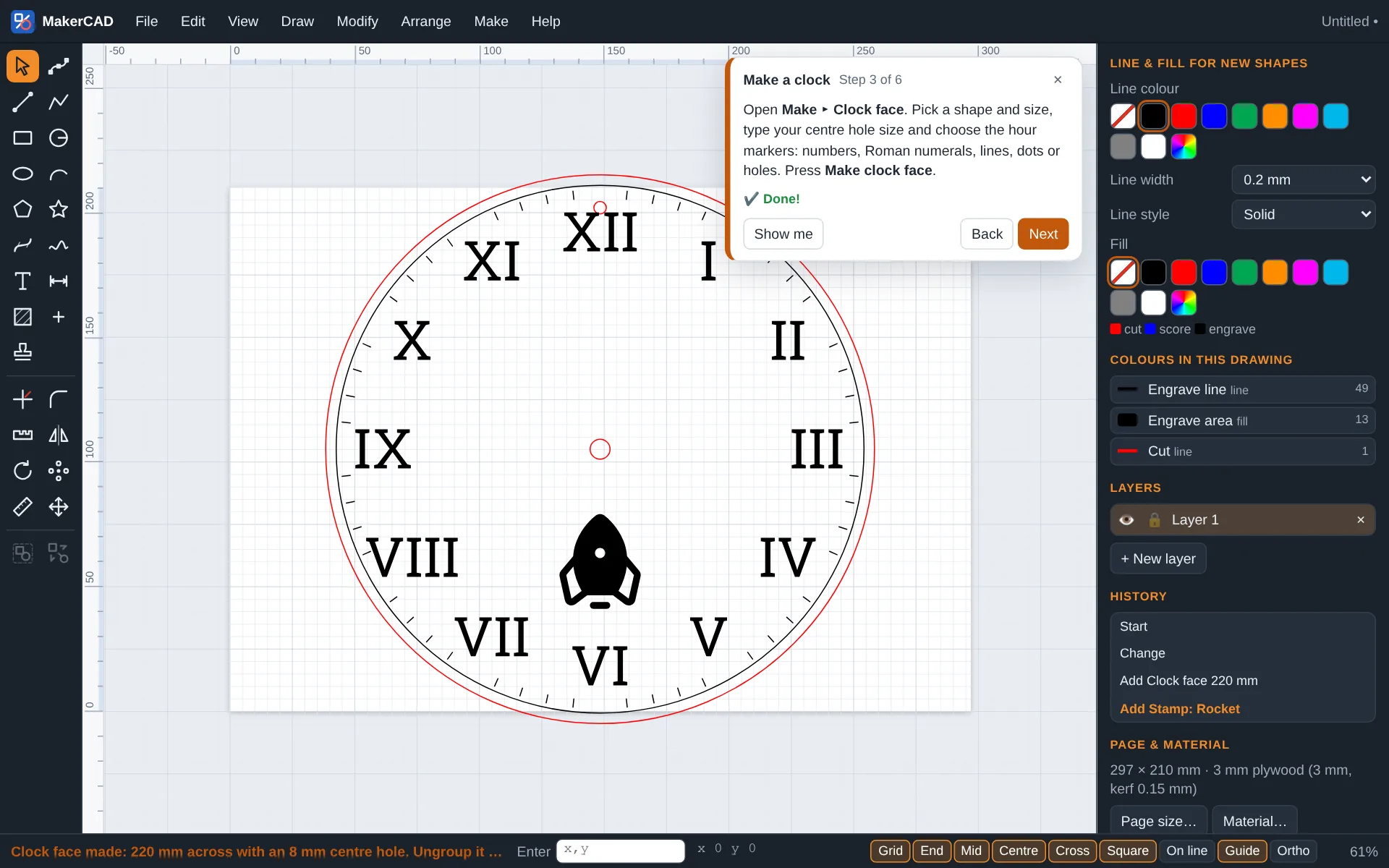
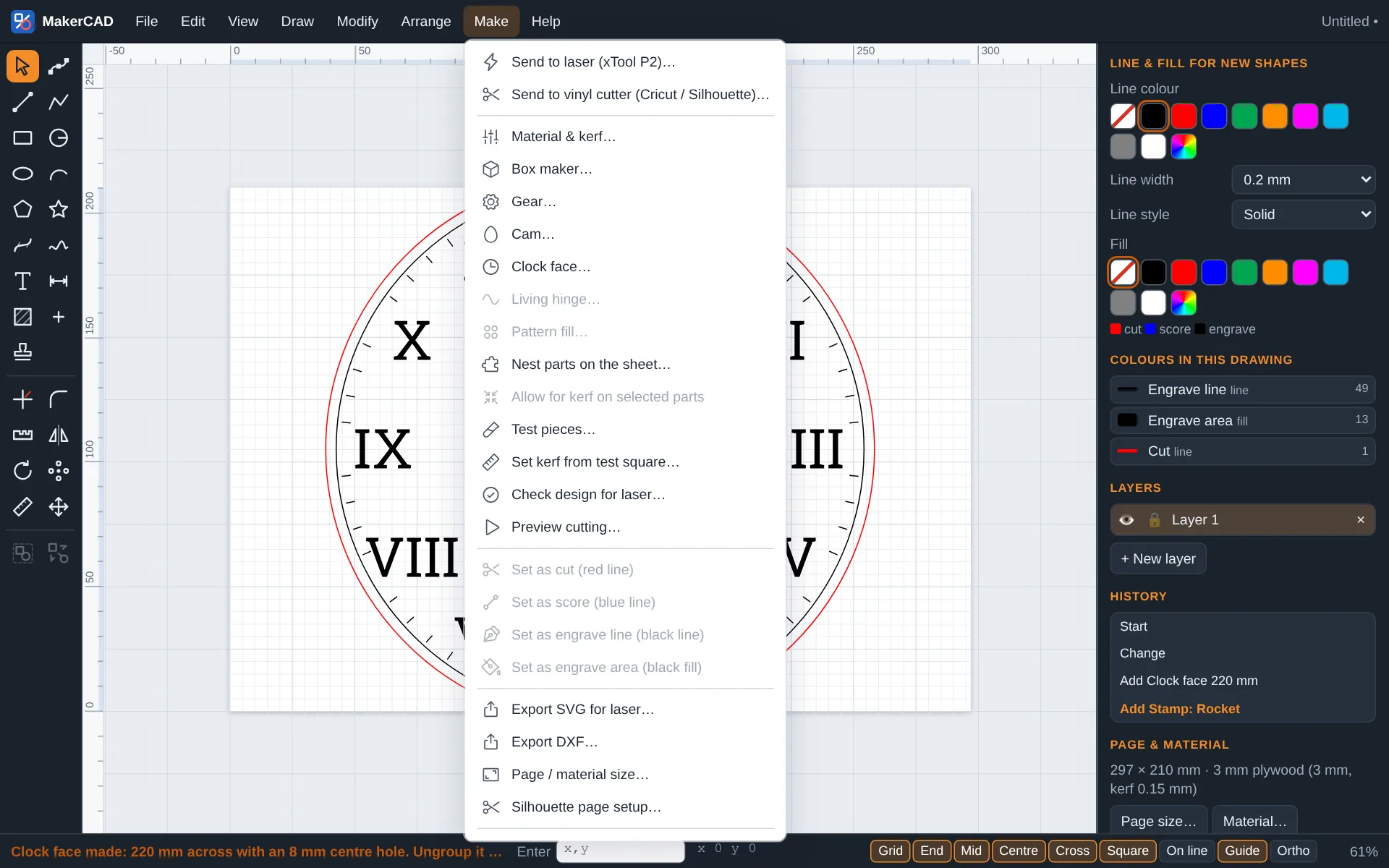
Red cuts, blue scores, black engraves. A design check finds problems before you waste material, and a preview shows the cut order.
Vinyl cutters too
True-size files for Cricut Design Space and Silhouette Studio, with mirroring for iron-on vinyl and a weeding box.
Makers built in
Boxes with finger joints, gears that mesh, cams, clock faces, living hinges and pattern fills, all from a few settings.
Stamps and tracing
A library of shapes, a search across thousands of open-licensed icons, and tracing that turns a hand drawing into cut lines.
Opens your files
Brings in SVG and DXF drawings from other programs, and pictures to trace, so existing work is not lost.
Live design New
Change your mind at any time. Add live modifiers that repeat, mirror, outline, weld and round your shapes, then go back and edit the original and watch everything update. Turn a shape into a component and every copy changes together. Set a parameter such as the gap or the material thickness and the whole design follows. Need something special? Write your own modifier in JavaScript.
- Repeat in a grid
- Repeat around a circle
- Mirror
- Outline
- Weld and combine
- Round corners
- Components
- Parameters
- Your own scripts
Made for the design & technology classroom
Pupils open it in the browser on any school computer or Chromebook. Teachers get the tools to run a whole class of laser projects.
- Class inbox. Pupils send their work to you; you approve it, ask for changes or mark it cut.
- Cut a whole class at once. Tick the approved work and it is packed onto one sheet, each piece named.
- Step-by-step guides for keyrings, boxes, gears, clocks and vinyl stickers that tick off as pupils go.
- Light on pupil data. Pupils give a first name or initials, and work sent to the inbox is deleted after 30 days.
- Design sheets pupils can print or save as PDF for their portfolio.
From your desk to your machine
Whether you have a diode laser in the garage or a Cricut on the kitchen table, MakerCAD gets your idea ready to cut.
- Laser and vinyl files at true size, with kerf allowance, test pieces and nesting to save material.
- Send to a Silhouette by Bluetooth straight from Chrome or Edge.
- Gradients, stamps and text on a path for signs, gifts and decorations.
- Works offline and installs like an app, so you can design anywhere.
Three steps to a finished part
Draw
Sketch with shapes and text, or start from a generator, a template or a step-by-step guide.
Check
Colour each line for cut, score or engrave, then let the design check catch gaps, tiny parts and anything off the sheet.
Cut
Export for your laser or vinyl cutter, or send it to your teacher to approve first.
Simple pricing
Try everything free in the demo. Choose a plan when you want to save your designs and make them.
Demo
For trying it out
no sign-up
- Every drawing tool and maker
- Live design and the laser check
- Step-by-step guides
- No saving, exporting or sending
Maker
For hobbyists and home studios
or £29 a year
- Everything in the demo
- Save your designs
- Export SVG, DXF and PNG, and print
- Send to laser and vinyl cutters
- Live design: modifiers, components and parameters
School
For design & technology departments
from, depending on school size
- Everything in Maker
- Unlimited pupils and teachers
- Class inboxes and batch cutting
- Free trial term
Prices are provisional.
Questions
What can I do in the demo?
Everything except get your design out: all the drawing tools, makers, stamps, guides, the laser check and the cutting preview work. Saving files, exporting, printing and sending to a machine or a teacher need a plan. Your drawing stays in your browser while you try it.
What is live design?
Live design keeps your original shapes and the steps you apply to them separate, so nothing is final until you want it to be. Repeat a petal around a circle, outline it and weld it into one piece, then change the petal and the whole flower updates. Components and parameters work the same way: change one thing and everything that uses it follows.
Do I need to install anything?
No. MakerCAD runs in a web browser. You can also install it like an app from the File menu, and it keeps working without an internet connection.
Which machines does it work with?
Any laser cutter whose software opens SVG or DXF files, plus Cricut (through Design Space) and Silhouette (through Silhouette Studio, or directly by Bluetooth in Chrome and Edge).
Do pupils need accounts?
Not to draw. To send work to a teacher, pupils type a class code and their first name or initials. Work in the class inbox is deleted after 30 days.
Where are drawings kept?
Drawings are kept in your own browser as you work, and you can save them as files. Work sent to a teacher is stored on our servers until it is deleted after 30 days.
Which browsers are supported?
Current versions of Chrome, Edge, Safari and Firefox. Sending to a Silhouette by Bluetooth needs Chrome or Edge.
Ready to make something?
Try the demo and follow a step-by-step guide to design your first keyring.
Try the demo